
Thank you so much for your Online financial support of the 2026 Homer Mariner Softball Program by purchasing a ticket for our cash raffle. This is our main focus on Fund Raising ( in addition to our ever supportive Business Sponsors and Parents) and is especially critical with KPBSD Budget cuts. Many studies, as well as our local Planet Youth study have shown how critical it is to keep teens engaged in after hour activities. We like softball as it teaches the usual sports values but also teaches how to overcome mental ruminations and confidence restoration more than many other sports.
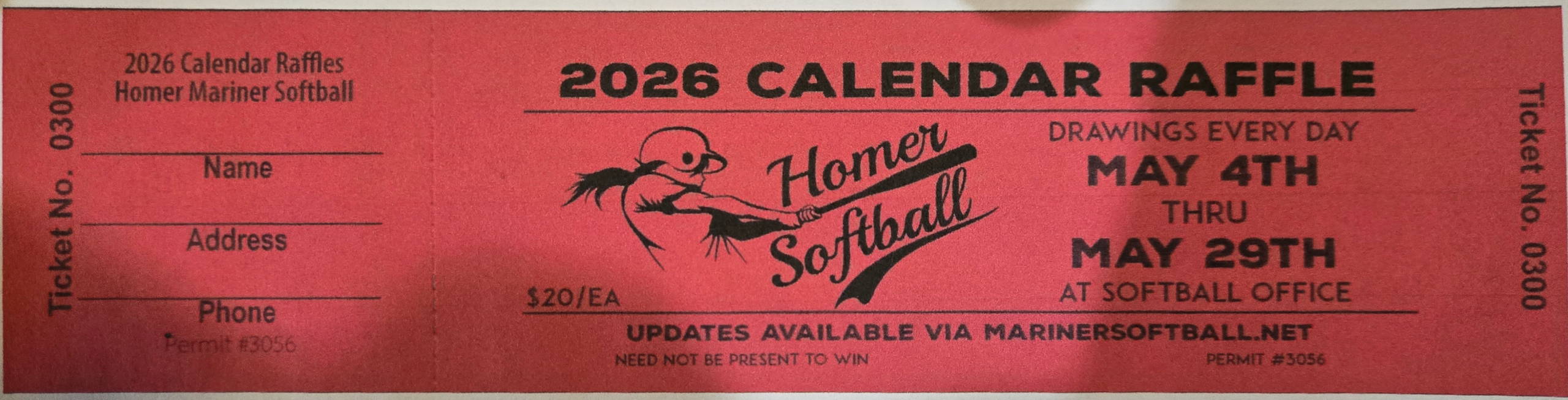
Please be aware that to use the online purchase option for Raffle Tickets you are certifying that you meet certain criteria Per AK Gaming Laws.
- You must be a resident of a locale where Raffle Purchase is legal.
- You must be 18 or older at the time of purchase
600 Tickets maximum will be sold. Drawings will take place at the current Mariner Softball Venue. Winners need not be present to win.
Please note that this is a two step process
STEP ONE
- First, fill out the information form so we may mail your tickets . I apologize that you will fill out demographic data twice but it is handy to have when information gets lost in that cloud thing.
STEP TWO
- Second , Pay for the ticket(s) through SQUARE (link here)
It will open a new page in your browser.
When entering your address in Square it MUST be a physical address, please put your PO Box in the “Apt, Suite” line. You may have to enter it as Apt # instead of Box #. That is their software, not mine.
We will then send you a confirmation of your purchase by email.